



The Pak ID app does not use your phone’s fingerprint sensor. It photographs your fingers with the camera, which is why lighting, background and distance decide whether the capture works.
Short answer
- Use bright, direct light and a plain white background behind your fingers. This is NADRA’s own advice.
- Watch the distance gauge on the capture screen and keep it between “Too far” and “Too close”.
- If one hand fails, try the other hand or a thumb.
- Update the app. Recent versions changed the fingerprint capture module.
- Do not keep retrying. The app blocks you after too many failed attempts.
Why fingerprint capture fails in Pak ID
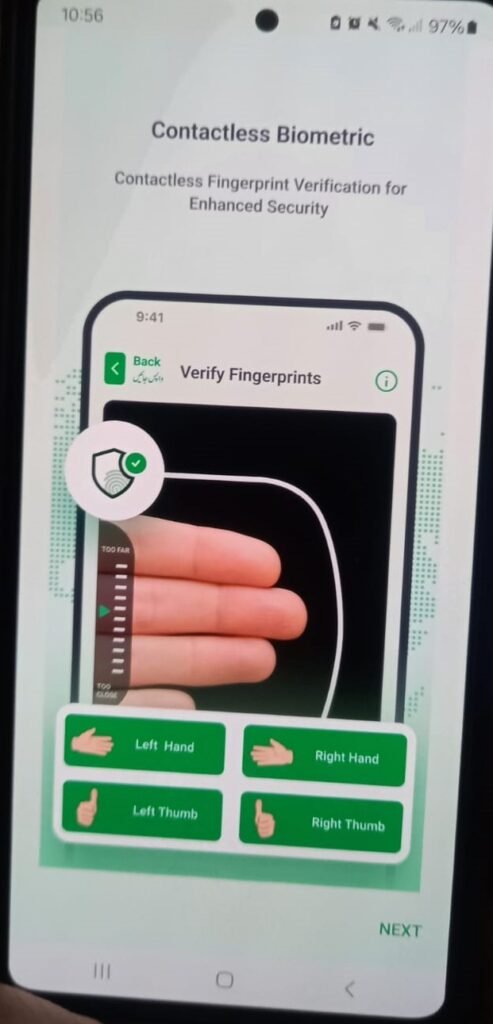
The app lists its method as “fingerprints acquisition through mobile camera” on its App Store page, and its own intro screens call the step “Contactless Biometric”. A camera needs sharp, evenly lit ridges to read a print. Dim rooms, shadows, a patterned surface under your hand or a smudged lens all blur those ridges.
So the problem is usually the photo, not your NADRA record. When a capture is rejected, the app shows this message:
Fingerprint. Verification failed. Please try with other fingers.
Take that literally. The Verify Fingerprints screen offers four choices: Left Hand, Right Hand, Left Thumb and Right Thumb. If one keeps failing, switch to another before you change anything else.
Step 1: Fix the light, the background and the distance
NADRA’s support team gives the same advice in its replies to App Store reviews: capture in bright light against a clear or white background.
- Sit near a window in daylight, or directly under a strong white light.
- Place a plain white sheet of paper on the table.
- Hold your hand above the paper so the white fills the frame behind your fingers.
- Move the phone until the gauge pointer on the left of the camera view sits midway between “Too far” and “Too close”, then hold steady until it captures.
Step 2: Clean the lens and your fingers
Wipe the camera lens with a soft cloth. Wash and dry your hands. Remove a thick phone case if it shades the lens or the flash.
Step 3: Update the app
NADRA has changed the capture system more than once. On iPhone, version 5.8.4 lists an “upgraded biometrics capturing module”, and version 5.8.3 fixed fingerprint scanning on iPhone 18 Pro and 18 Pro Max, according to the App Store version history. If you are on an older version, update before trying again.
Step 4: Try a different phone
Some users report that capture fails on one phone and works on another. One App Store reviewer could not capture on an iPhone 15 Pro Max but succeeded on a second device. If you can borrow another phone, log in there and repeat Step 1.
Do not keep retrying
The app limits how many times you can try. After too many failures it shows this alert:
You have exceeded the maximum number of biometric verification attempts. Please try again later. If you continue to face this issue, please visit the nearest NADRA Center for assistance and improved biometrics capture.
The app does not say how long you must wait. So fix the light and distance first, and do not spend attempts on a setup that has already failed.
For online passport applicants
Overseas applicants verify fingerprints for the DGIP online passport system inside Pak ID. You note the Passport Tracking ID from the DGIP portal, open Online Passport in the app, enter your CNIC and Tracking ID, then capture your fingerprints. If fingerprint verification fails, a facial verification option is available, as The Express Tribune reported in December 2025.
If your fingerprints are faint or worn
NADRA has acknowledged complaints from people whose fingerprints cannot be read, and in September 2026 it announced an alternative biometric verification facility for them, according to ARY News. The announcement did not explain the procedure, so ask the helpline or a NADRA Registration Centre how it applies to you.
How to contact NADRA
- Helpline: 051-111-786-100, or 1777 from a mobile phone
- Email: customer.care@nadra.gov.pk
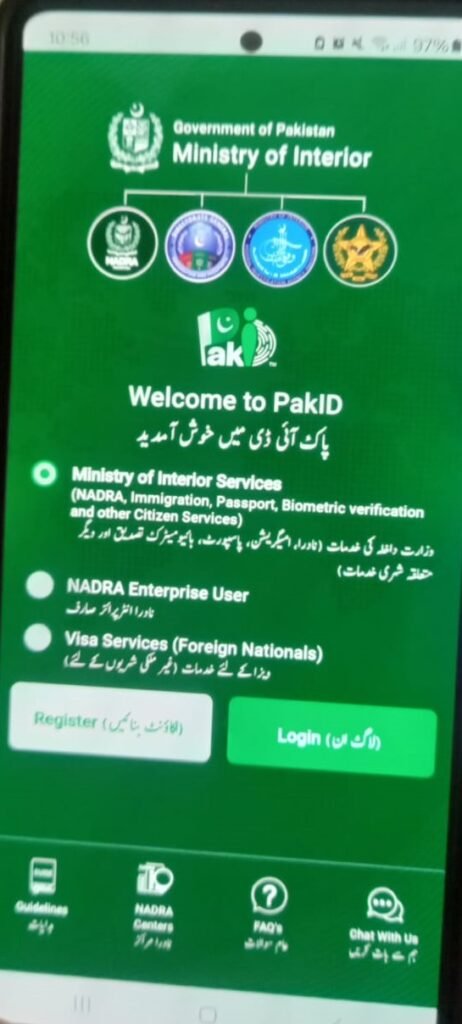
- In the app: “Chat With Us” and “NADRA Centers” on the login screen, no login needed
- In person: your nearest NADRA Registration Centre, with your application details
FAQ
Does Pak ID use my phone’s fingerprint sensor?
No. It captures your fingers with the camera.
Is the problem my phone or NADRA’s server?
If the camera opens and the capture is rejected, it is the capture. A server error after you submit is a different problem.
Can I skip fingerprints?
For passport verification, the app offers facial verification after a failed fingerprint attempt. For other services, ask NADRA.