

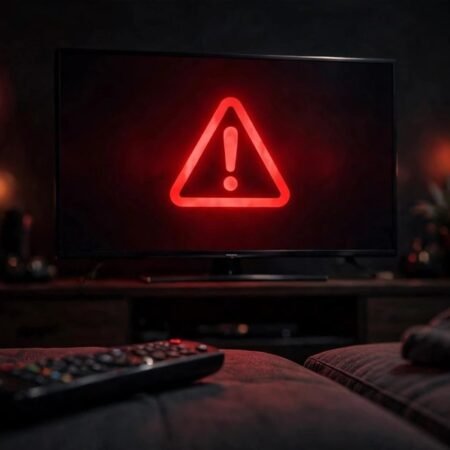

You press play on your favorite show, and instead of the opening scene you get a black screen saying Netflix has encountered an error and is retrying, followed by Code NW 2 5. The countdown restarts, the error returns, and your movie night stalls before it begins.
The NW 2 5 error is one of the most reported Netflix error codes, showing up on smart TVs, Roku players, Fire TV Sticks, PlayStation and Xbox consoles, and phones. The good news is that it points to a network connection problem, not a broken account or a dead device. Work through the 9 fixes below in order.
Quick Answer
If you see the Netflix NW 2 5 error, unplug your streaming device from the wall for a full 60 seconds, then plug it back in. Do the same with your modem and router. This cold restart clears the stuck network session behind most cases. If the error persists, turn off any VPN, confirm your internet works in other apps, and try a wired Ethernet connection or your phone hotspot to find out whether the problem is your device, your WiFi, or your internet provider.
What Is Netflix Error Code NW 2 5?
Netflix defines the NW 2 5 error as the device taking too long to connect to the Netflix service. In plain terms, your TV or streaming stick is online but cannot finish the handshake with Netflix servers, so the app keeps retrying. Based on Netflix help pages and thousands of user reports, the real causes are:
- Stale network session on the device that a normal remote off does not clear.
- Router or modem cache buildup after weeks of uptime.
- Weak or unstable WiFi with high packet loss.
- Slow or misconfigured DNS settings.
- VPN or proxy interference, since Netflix blocks many VPN IP ranges.
- Public or shared WiFi restrictions in hotels, dorms, and offices.
- ISP throttling, outages, or routing issues.
- Router firewall or parental controls blocking streaming traffic.
- Rarely, a Netflix side outage in your region.
9 Fixes That Work
Fix 1: Unplug Your Streaming Device for a Full Minute
Turning the TV off with the remote only puts the screen to sleep while the network card keeps running the same broken session.
- Unplug your TV, Roku, Fire TV Stick, or console from the wall socket.
- Press and hold the physical power button for 5 seconds to drain leftover power.
- Wait a full 60 seconds.
- Plug the device back in, turn it on, and open Netflix again.
Fix 2: Power Cycle Your Modem and Router
The router is the most common single source of the NW 2 5 error. A full power cycle gives you a fresh IP lease and clears corrupted routing data.
- Unplug both the modem and the router from power.
- Wait a full 60 seconds so the connection to your ISP fully drops.
- Plug the modem back in first and wait until its lights show a stable connection.
- Plug the router back in and wait for it to finish starting.
- Reconnect your streaming device to the network and try Netflix again.
Fix 3: Confirm Your Internet Actually Works
Before changing settings, find out whether the internet itself is down.
- Open YouTube or another streaming app on the same device and see if it loads.
- Run a speed test on your phone while connected to the same WiFi. Netflix needs at least 3 Mbps for standard quality and 5 Mbps for HD.
- If nothing loads anywhere, the problem is your internet connection, not Netflix. Skip ahead to Fix 9 and contact your ISP.
- If other apps work but Netflix shows the NW 2 5 error, keep going with the fixes below.
Fix 4: Improve the WiFi Signal or Go Wired
The NW 2 5 error often triggers when packet loss is high, even on a fast connection.
- Move the streaming device closer to the router, or move the router to a more open central spot.
- If your router broadcasts both 2.4 GHz and 5 GHz bands, try the other band. The 5 GHz band is faster at short range, while 2.4 GHz reaches farther through walls.
- For the most reliable test, connect the device to the router with an Ethernet cable. If Netflix works over the cable, your WiFi signal was the problem.
- On a smart TV, forget the WiFi network and reconnect from scratch to clear any stale token.
Fix 5: Turn Off VPNs, Proxies, and Ad Blockers
Netflix actively blocks VPN and proxy server ranges, so a VPN running on your device or router can trigger this error on its own.
- Check your streaming device, phone, and router for any active VPN app or proxy setting and turn it off completely.
- Disable network level ad blockers, which can interfere with Netflix server addresses.
- Restart the device after disabling them and open Netflix again.
- If you must use a VPN for other reasons, make sure it is fully disconnected while streaming Netflix.
Fix 6: Check or Change Your DNS Settings
Incorrect DNS settings are a widely documented cause of NW 2 5.
- Open the network settings on your streaming device.
- If DNS is set manually, switch it back to Automatic and test Netflix.
- If it is already automatic, try a public DNS instead. Enter 8.8.8.8 as the primary and 8.8.4.4 as the secondary DNS. The Cloudflare servers at 1.1.1.1 work well too.
- Save the settings, restart the device, and try Netflix again.
Fix 7: Test Netflix on Your Phone Hotspot
This test tells you whether the problem is your home network or the device itself.
- Turn on the mobile hotspot on your phone.
- Connect your TV or streaming stick to the hotspot WiFi network.
- Open Netflix and see if the NW 2 5 error is gone.
- If Netflix works on the hotspot, your home router or ISP is blocking the connection. If it still fails on the hotspot, the issue sits with the device, so continue to Fix 8.
Fix 8: Sign Out, Refresh the App, or Reinstall It
Corrupted app data can keep the error alive even after the network is fixed, so refresh the app itself.
- Open Netflix, go to the profile or settings menu, sign out of your account, and then sign back in.
- On a Fire TV Stick, go to Settings, then Applications, then Manage Installed Applications, then Netflix, and choose Clear Cache and Clear Data. If the stick keeps misbehaving in other ways, our guide on Fire TV Stick not working covers the deeper device fixes.
- On Roku, remove the Netflix channel, restart the Roku from the Settings menu, then add the channel back from the Channel Store. If the Roku cannot hold a WiFi connection, see our guide on Roku not connecting to WiFi for the network side steps.
- On PlayStation or Xbox, run the built in connection test in the console network settings, and reset the network settings to automatic if anything was changed manually.
Fix 9: Update Router Firmware and Call Your ISP
When everything above fails, the problem is usually upstream with the router software or the provider.
- Open your router admin page and check for a firmware update. Install it if one is available, since outdated firmware causes known streaming drops.
- Look for parental controls, firewalls, or access rules that might block streaming services, and turn them off for a test.
- If you are on hotel, dorm, or office WiFi, ask the network administrator whether video streaming is allowed. Some shared networks block Netflix entirely.
- Call your ISP, mention the NW 2 5 error on every device, and ask about an outage, throttling, or routing problem.
Still Not Working?
If every fix above failed, try these last steps.
- Check a status tracker or DownDetector for a Netflix outage in your region. Only Netflix can fix a problem on its side.
- Try Netflix on a completely different device on the same network. If it works there, the original device may need a factory reset.
- Other streaming apps show their own versions of network errors too. Our guide on Disney Plus error code 83 covers a similar connection failure, and the same network fixes often apply.
Frequently Asked Questions
1. What does Netflix error code NW 2 5 mean?
Your device is taking too long to connect to Netflix servers. It is a network problem, not an account problem.
2. Why does Netflix keep saying Retrying in X seconds?
The app is retrying the failed connection handshake. A cold restart of the device plus a modem and router power cycle usually breaks the loop.
3. Is NW 2 5 caused by Netflix or by my internet?
In most cases it is your local network. Check a status tracker to rule out a Netflix outage before changing your own settings.
4. Can a VPN cause the NW 2 5 error?
Yes. Netflix blocks many VPN and proxy IP ranges. Turn off any VPN on the device or the router and try again.
5. Why does NW 2 5 appear on my TV but not on my phone?
The TV may hold a stale network session or sit on a weaker WiFi signal. Unplug it for a full minute or test it on your phone hotspot.