
You open the PITC bill portal, type your reference number, and the page says the bill can’t be found. The bill exists; the portal just can’t match what you typed. These are the six causes we see most, in the order to check them.
MozPK is not linked to PITC or any DISCO. The official portal is bill.pitc.com.pk.
1. You entered the wrong kind of number
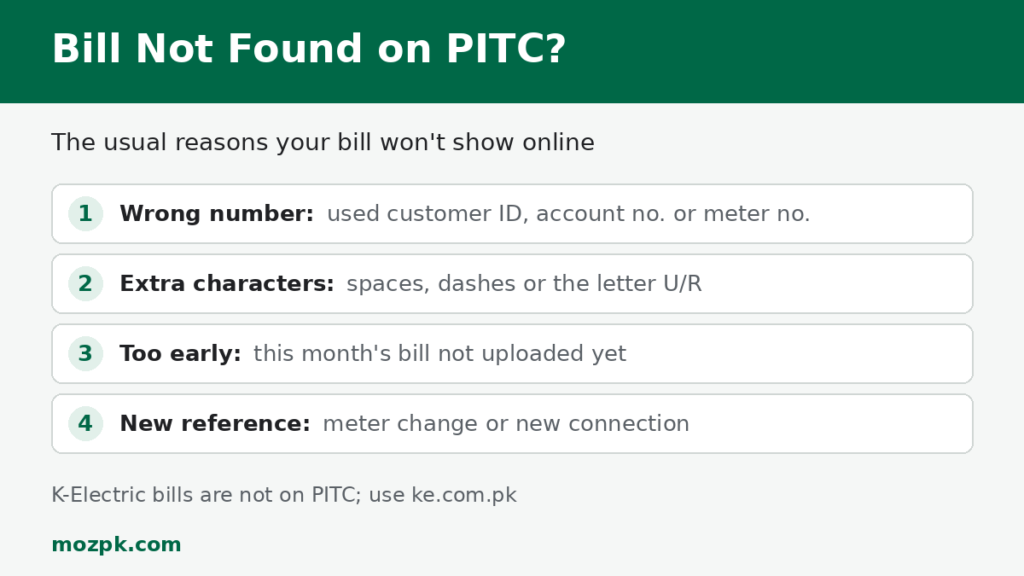
Your bill carries several numbers: reference number, customer ID, meter number, and sub-division codes. The portal looks up the 14-digit reference number. Some DISCO pages also offer a customer ID option; if you type a customer ID into the reference box (or the other way round), the lookup fails. Meter number is not a search field.
2. Spaces, dashes or a letter at the end
Bills print the reference number in groups, often with a “U” or “R” after it. Type only the 14 digits, with no spaces, dashes or letters. If you copied it from a WhatsApp message or a photo, retype it by hand; copied text often carries hidden spaces.
3. You picked the wrong company
The portal has a separate page for each DISCO. A LESCO reference will not be found on the GEPCO page. Check the company name printed at the top of your old bill. Areas near a boundary can be served by a company you don’t expect.
4. This month’s bill isn’t uploaded yet
Bills appear online only after the DISCO generates them. If you check too early in the cycle, you may see last month’s bill or nothing. Wait a few days after the reading date and check again. If you need to pay before then, ask your sub-division office for the amount.
5. Your reference number changed
The reference number usually stays the same, but it can change after a meter replacement or a change to the account. If an old number stopped working after such a change, get the new number from your latest paper bill or from the sub-division office.
6. It’s a new connection, or you’re with K-Electric
- New connection: there is nothing to look up until billing begins. Track the application on enc.com.pk instead.
- Karachi: K-Electric bills are not on PITC at all. Use the KE website, KE Live app or KE’s WhatsApp service. See our bill check guide.
When the portal itself is down
If correct numbers that worked last month now fail for everyone in your house, the portal may be slow or down, which is common near due dates. Try again later, switch between Wi-Fi and mobile data, or try another browser. You can still pay: banking apps, JazzCash and Easypaisa fetch the bill by reference number through their own connection.
Avoid copycat bill sites
Searching for your bill turns up many unofficial sites. Some only pass your number to PITC; others are unclear about what they store. Your bill shows your name and address, so use the official portal where you can.
FAQ
Can I check my electricity bill with my CNIC?
No. The official portal needs the reference number (or the customer ID where offered).
I lost all my old bills. How do I find my reference number?
Check your banking or wallet app’s bill payment history, which saves the reference you paid. Otherwise, visit your sub-division office with your CNIC and address.
Is a bill printed from the portal valid for payment?
Yes. The Power Division lists the portal as the official place to view, print or download your bill (Power Division).