

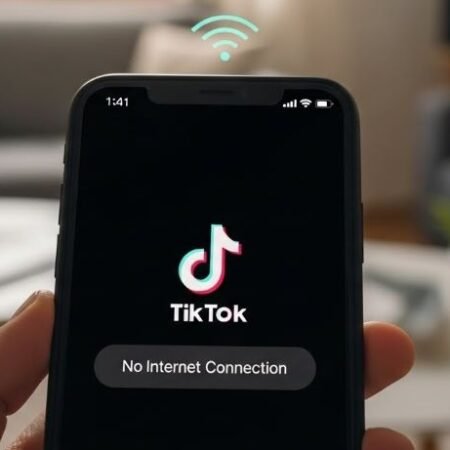

When TikTok says “No internet connection” while other apps work fine, it’s usually one of these:
- TikTok app session/cache is stuck (TikTok recommends clearing cache if connectivity isn’t the issue).
- Your connection is “online” but unstable (TikTok suggests switching between Wi-Fi and mobile data to test).
- Data-saving settings are limiting background networking (iPhone Low Data Mode / Android Data Saver).
App Fixes Hub (Complete Guide)
Fastest fix order
- Switch networks: Wi-Fi ↔ mobile data (TikTok recommends this test).
- Restart TikTok + restart your phone (TikTok recommends restarting both).
- Update TikTok + update your phone OS (TikTok recommends latest versions).
- Clear TikTok cache: Settings & privacy → Free up space → Clear Cache (TikTok’s official steps).
- Turn off Data-saving limits: iPhone Low Data Mode OFF / Android Data Saver OFF or allow TikTok as Unrestricted data.
Fixes (do in order)
1) Do TikTok’s official “First steps” (quick win)
TikTok’s troubleshooting list is simple: update, restart app/device, check internet, and clear cache.
If you haven’t done these four yet, do them first.
2) Switch Wi-Fi ↔ mobile data (the best test)
TikTok explicitly recommends switching between Wi-Fi and mobile data to see if connectivity is the issue.
USA tip: test once on carrier data (Verizon / AT&T / T-Mobile).
- Works on data but not Wi-Fi → router/DNS/VPN issue
- Works on Wi-Fi but not data → carrier/Data Saver/plan restriction
3) Restart the app + restart the phone
TikTok recommends restarting the TikTok app and your device as an early step.
4) Update TikTok (and your phone)
TikTok says to make sure you’re running the latest TikTok version and that your device OS is up to date.
5) Clear TikTok cache (official steps)
TikTok’s official cache path:
Profile → Menu ☰ → Settings and privacy → Free up space → Clear next to Cache.
This removes temporary files that may cause problems.
App Installed but Not Showing (Android): Fix
6) Turn off VPN (one clean test)
VPNs can break TikTok routing even when Chrome works. Turn it off and retry once.
7) iPhone: Turn OFF Low Data Mode (Wi-Fi + Cellular)
Apple explains Low Data Mode restricts background network use and can turn off automatic downloads/backups.
Turn it off for a test:
- Settings → Cellular → Cellular Data Options / Data Mode → Low Data Mode OFF
- Settings → Wi-Fi → (i) on your network → Low Data Mode OFF
8) Android: Check Data Saver and allow TikTok as “Unrestricted data”
Android’s official guide shows:
Settings → Network & Internet → Data Saver → Unrestricted data → enable the apps that need data when Data Saver is on.
If Data Saver is ON, whitelist TikTok there.
9) Reset network connection (without deleting everything first)
Try:
- Airplane mode ON 10 seconds → OFF
- Reconnect to Wi-Fi
- Retry TikTok
10) If TikTok works on Wi-Fi but not on mobile data
Likely causes:
- Data Saver / data restrictions (Fix #8)
- Poor signal
- APN issues (rare)
Do one quick test: move to a stronger signal area and retry.
11) If only TikTok search says “No internet connection”
This often points to a cache/session issue. Re-do Fix #5 (clear cache) and then force-close TikTok and reopen. TikTok specifically calls out clearing cache when connectivity isn’t the issue.
12) Log out and log in again (optional, but helps)
If your account session is corrupted, logout/login can refresh it.
Do this only if you remember your password and have access to email/phone.
13) Reinstall TikTok (strong fix)
If cache + updates didn’t work:
- Delete TikTok
- Restart phone
- Install again
- Sign in and test
14) If it’s happening only on your home Wi-Fi
Try:
- Restart router
- Try a different DNS (or set Private DNS back to Automatic on Android)
- Test TikTok on a different Wi-Fi hotspot once
15) Report the problem to TikTok (official method)
TikTok’s official steps:
Profile → Menu ☰ → Settings and privacy → Report a problem → follow prompts (or “Chat with us”).
WhatsApp Media Not Downloading: Fix
FAQs
Why does TikTok say no internet when my internet works?
Most often it’s TikTok cache/session issues or unstable routing. TikTok recommends switching networks, restarting, and clearing cache via Free up space.
Does clearing TikTok cache fix network errors?
Yes—TikTok specifically recommends clearing the app cache if internet connectivity isn’t the problem.
Can Low Data Mode cause TikTok connection issues on iPhone?
It can restrict background network use and turn off automatic downloads/backups, which may affect app behavior.
Can Android Data Saver block TikTok?
Yes—Android explains you can allow specific apps under Unrestricted data when Data Saver is on.
Sources
- TikTok Help Center: First steps (update, restart, switch Wi-Fi/data, clear cache + exact cache steps). (TikTok Support)
- TikTok Help Center: Report a problem (official reporting path). (TikTok Support)
- Android.com: Data Saver → Unrestricted data steps. (android.com)
- Apple Support: Low Data Mode behavior + how to toggle for cellular/Wi-Fi. (Apple Support)