

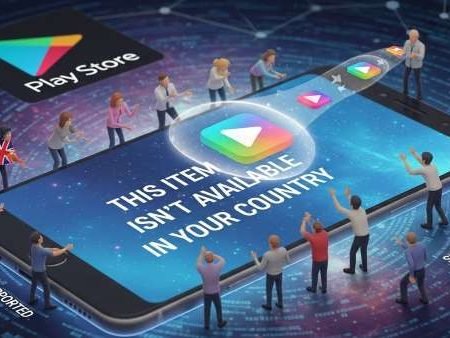

When Google Play says an app isn’t available in your country/region, it usually means the developer has limited the listing to specific locations, or your Play country doesn’t match where you are right now. Google confirms that apps and content can vary by country/region and availability changes based on your Play country.
App Fixes Hub (Complete Guide)
Do this first
- Force stop Play Store → reopen.
- Clear Play Store cache, then Play Store storage/data (this can remove some Play Store settings).
- Check Play Store → Settings → Country and profiles (or “Play country”).
- If you moved countries: you must be in that country and add a payment method from that country to set it up, and changes can take up to 48 hours.
- If you changed recently, you may be blocked by the 90-day restriction.
Quick facts (so you don’t waste time)
- You must wait at least 90 days after initially setting your Play country before you can change it, and also 90 days between changes.
- To add a new country, Google says you must be physically in that country and have a payment method from there.
- If you’re in a Google Family group, you can’t change Play country unless you leave/delete the family group.
- Your Play balance and points have country rules (balance doesn’t transfer; points don’t carry over).
Fix 1: Make sure it’s truly a “country restriction” (not compatibility)
Sometimes people confuse errors:
- “Not available in your country” = region limitation
- “Not compatible with your device” = device/Android version limitation
This App Isn’t Compatible With Your Device (Fixes)
Fix 2: Force stop Play Store and reopen
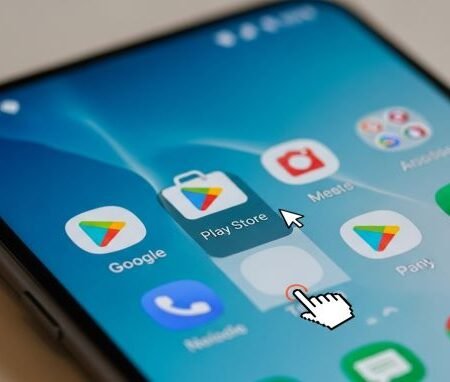
Go to Settings → Apps → Google Play Store → Force stop → Open again.
This clears stuck sessions and refreshes the store screen.
Fix 3: Clear Play Store cache (safe)
Google’s own Play country help page includes clearing cache as a troubleshooting step and explains what it does.
After clearing cache, reopen Play Store and search the app again.
Fix 4: Clear Play Store storage/data (strong)
This is the “hard refresh.” Google warns it may delete some Play Store settings like parental controls and password protection, and you may need to accept Terms again.
After clearing data, open Play Store, wait 1–2 minutes, then check the app page again.
Fix 5: Turn off VPN and test on a normal connection
This isn’t about bypassing anything. It’s just to ensure Play Store reads your account/location signals correctly.
Quick test: switch Wi-Fi ↔ mobile data. If you’re in the USA, test on mobile data (Verizon / AT&T / T-Mobile) to rule out router/DNS filtering.
Fix 6: Check your Play country setting (the official menu)
Open Play Store → Profile icon → Settings → General → Account and device preferences → Country and profiles.
If you see the country you expect, keep going to the next fixes.
Fix 7: If you recently moved, set up the new country the correct way
Google says to set up a new country/region you must:
- be in that country/region, and
- have a payment method from that country/region
Also: your profile can take up to 48 hours to update.
Fix 8: If you can’t find “Country and profiles,” check the 3 official reasons
Google explains you may not see the option if:
- you changed your country within the last 90 days,
- you’re not currently located in a new country, or
- you’re a member of a Google Family group
Fix 9: Understand what happens to subscriptions when you change country
Google notes:
- your current subscriptions may remain active on your old payment profile unless canceled,
- some subscriptions may not be available in the new country, and developers may cancel if they don’t offer it there
If you’re stuck because of subscription conflicts, cancel, wait for it to end, then resubscribe in the new country (where available).
Fix 10: Check your Google Play balance and points rules (important for paid users)
Google says:
- Play balance is linked to your Play country; after changing, you can’t use the old country balance in the new one (but it remains linked to the old country).
- Play Points don’t carry over when switching countries.
If you rely on balance, that’s a big reason not to switch countries casually.
Fix 11: Fix your payments profile country (common hidden blocker)
This part matters for country switching and paid content.
Google Payments Center says you cannot change the country of an existing payments profile; you must create a new profile for a different country.
Google Play help also directs users to manage the payments profile at payments.google.com when Play country updates are stuck.
Fix 12: If you’re traveling, don’t fight the system
If your Play country is correct but you’re traveling and still seeing purchase/country mismatch errors, Google says to contact support.
In many travel cases, the right move is to keep your original Play country and avoid switching back and forth (because of the 90-day restrictions).
Fix 13: If you’re tempted to sideload the app, do it safely
Some users try installing an APK when an app is region-limited. If you do that, make sure you understand the safety tradeoffs and keep security features on.
Install Blocked (For Your Security) on Android: 15 Fixes
FAQs
Why does Google Play say an app isn’t available in my country?
Because your Play country determines what content appears, and developers can restrict apps by region.
How do I change my Play Store country?
Play Store → Settings → Account and device preferences → Country and profiles, then add the new country and a local payment method. Google says you must be in that location and have a payment method from it.
How long does a Play country change take?
Google says it can take up to 48 hours for the profile to update.
How often can I change my Play Store country?
Google states you must wait at least 90 days before changing after initial setup, and 90 days between subsequent changes.
Why can’t I see “Country and profiles”?
Google says it may not show if you changed within 90 days, you’re not in a new country, or you’re in a Google Family group.
What happens to my Google Play balance if I switch countries?
Google says balance is linked to your Play country and won’t transfer to the new one; it stays tied to the old country.
Can I change the country on my payments profile?
Google Payments Center says you can’t change the country on an existing payments profile; you must create a new profile for another country.
Will subscriptions work after changing country?
Google says subscriptions may remain active on the old payment profile, some subscriptions may be unavailable in the new country, and developers may cancel if they don’t offer it there.
Sources
Google Play Help: How to change your Google Play country
https://support.google.com/googleplay/answer/7431675?hl=en

Google Payments Center Help: Change countries in your payments profile
https://support.google.com/paymentscenter/answer/9037801?hl=en