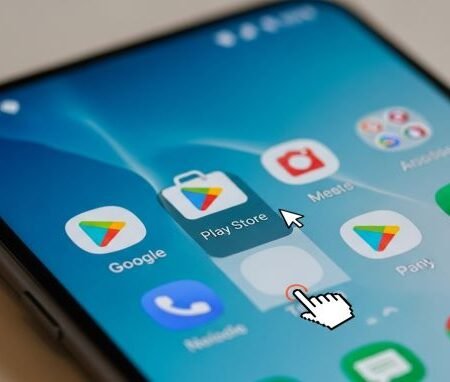




If your Google Play Store shows “Error retrieving information from server. DF-DFERH-01”, it means Play Store can’t fetch app details from Google’s servers. In real life, this usually happens because:
- Play Store cache/data is corrupted
- Google Play services is stuck (auth/sync issues)
- Download Manager is disabled or broken
- Your network is blocking Google endpoints (VPN/Private DNS/Proxy)
- Date/time is incorrect
- Or Google Play is temporarily having issues
Start here (quick diagnosis with data)
What exactly is broken?
- Only Play Store pages fail (search works but app pages don’t load) → usually Play Store cache/data
- Downloads also fail / pending → often Download Manager + Play services
- Works on mobile data but not Wi-Fi → router/DNS/VPN issue
- Happens right after an update → uninstall Play Store updates can help
Do this first
Try these in order (most common wins):
- Switch Wi-Fi ↔ mobile data and turn VPN/Private DNS OFF
- Set Automatic date & time ON
- Clear Google Play Store cache + data
- Clear Google Play services cache + data
- Ensure Download Manager is enabled, then clear its cache/data (if available)
- Restart phone
- If still stuck: remove & re-add Google account, or uninstall Play Store updates
Play Store “Something Went Wrong / Try Again” Error: 14 Fixes
Fix 1: Switch network and disable VPN / Private DNS (fast test)
- Try mobile data
- Turn VPN OFF
- Turn Private DNS OFF (temporarily)
- Retry Play Store
If it works on mobile data, your Wi-Fi/router DNS is the culprit.
Fix 2: Turn ON automatic date & time
Wrong time breaks secure connections.
Go to Settings → Date & time → Set automatically (ON)
Then retry.
Fix 3: Force stop Play Store
Settings → Apps → Google Play Store → Force stop
Reopen and test.
Fix 4: Clear Play Store cache (safe)
Google’s official Play Store troubleshooting includes clearing cache.
Settings → Apps → Google Play Store → Storage & cache → Clear cache
Fix 5: Clear Play Store data (strong)
Google also recommends clearing Play Store storage/data for deeper issues.
Settings → Apps → Google Play Store → Storage → Clear storage/data → Delete
Then restart phone.
Fix 6: Update Google Play services (or install)
Google’s Play services guide recommends updating Play services first.
Try: Settings → (search) Google Play services → Update/Install
If you don’t see an update button, move to cache/data steps next.
Fix 7: Clear Google Play services cache
Settings → Apps → Google Play services → Storage & cache → Clear cache
Restart and test Play Store.
Fix 8: Clear Google Play services data (read this first)
If DF-DFERH-01 still shows:
Settings → Apps → Google Play services → Storage → Clear data / Clear storage
Note: you may need to sign in again in some apps after this.
Fix 9: Enable and reset Download Manager (very important for “server” errors)
Some DF-DFERH-01 cases are tied to broken download components. Community and troubleshooting guides often include Download Manager resets.
Steps (names vary):
Settings → Apps → (Filter) Show system apps → Download Manager
- Make sure it’s Enabled
- Tap Force stop
- Clear cache/data (if available)
Fix 10: Check storage (keep at least 1–2 GB free)
Low storage can stop Play Store from processing requests properly.
Free space and try again.
Fix 11: Restart phone (after clearing cache/data)
Restart is important because it reloads background services after you clear data.
Fix 12: Remove and re-add your Google account
If DF-DFERH-01 is caused by stuck authentication/sync:
Settings → Accounts → Google → Remove account → Restart → Add account again
Fix 13: Uninstall Play Store updates (advanced)
If the error started after a Play Store update:
Settings → Apps → Google Play Store → (3 dots) Uninstall updates
Google lists uninstalling updates as part of Play Store advanced fixes.
Open Play Store again and let it update itself.
Fix 14: If it’s a Google-side issue, wait and retry
Sometimes Play Store issues are temporary. If you’ve tried the top fixes and it still fails across networks, try again later.
Google Play Store Download Pending: 13 Fixes
Sources
Google Play Help: Fix problems with the Google Play Store app
https://support.google.com/googleplay/answer/14121800

Google Play Help: Fix problems with Google Play services
https://support.google.com/googleplay/answer/9037938

Google Play Help Community: Error retrieving information from server DF-DFERH-01
https://support.google.com/googleplay/thread/81842487/error-retrieving-information-from-server-df-dferh-01?hl=en

Google Play Help Community: Error while retrieving information from server DF-DFERH-01
https://support.google.com/googleplay/thread/289678297/error-while-retrieving-information-from-server-df-dferh-01?hl=en